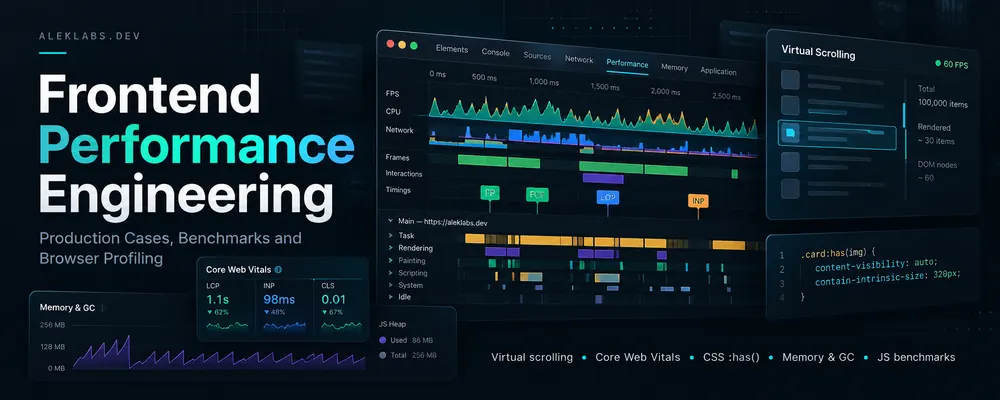
Frontend Performance Engineering: Production Cases, Benchmarks and Browser Profiling
I have spent much of my frontend career working on applications where performance constraints affect architecture: large datasets, editable grids, entire books laid out in the browser, frequently updated graphical controls, and websites that must render quickly on mobile hardware.
This is an index of my documented engineering work, published experiments and selected profiling results. It combines production case studies, independent experiments, and investigations from 2024-2026. Where I have precise measurements, I include them. Other sections describe implementation decisions or investigations without claiming measured speedups.
1. Virtual scrolling in three different production systems
My implementations progressed from variable-height tables in an AngularJS application to reusable enterprise Vue data grids, and then to a virtual document renderer.
Dignio Prevent: variable-height virtual tables
Some endpoints returned thousands or tens of thousands of records without pagination. Rendering all the AngularJS-controlled table elements was expensive. I built a virtual table that mounted visible rows while representing the geometry of the complete dataset.
The key difficulty was unknown row heights. Text wrapping and cell formatting affected geometry, so I calculated text dimensions and line breaks in JavaScript and cached measurements rather than mounting thousands of cells for DOM measurement. Filtering used Crossfilter. Much of the performance-critical table engine remained in plain JavaScript, with AngularJS used for integration.
Luqon BOOST: virtualization as shared UI infrastructure
At BOOST, row geometry was more predictable but interaction was more complex. I implemented a Vue 3/TypeScript virtual editable grid with custom cells, keyboard navigation, dirty and error states, row operations, sorting, filtering and selection. The virtual table became a reusable component within table selectors, tree tables and hierarchical selectors. Tree nodes were flattened into the row sequence consumed by the virtualizer.
The wider architecture included IndexedDB-backed model caching, partial/checksum-based synchronization and client-side filtering of large enterprise datasets. This reduced repeated data loading and avoided mounting thousands of Vue component instances when users opened large selectors.
AlekLabs Eye Trainer: document-scale virtualization
My browser-based reading and binocular-training application presents another problem: changing font size or text width can invalidate line wrapping across an entire book. A document layout model tracks paragraphs, visual lines and logical reading positions. Only the lines around the viewport are rendered, and logical position is remapped after relayout.
The same virtualization concepts also apply to PDF pages and other document elements. I tested a Rust/WebAssembly alternative for part of the layout work, but the JS/WASM boundary and data transfer overhead did not justify migrating only an isolated function. The main layout engine remained JavaScript. Progressive and multi-worker layout approaches were investigated as future directions, not completed features.
Full case study: Virtual Scrolling Engineering: Three Production Cases.
2. JavaScript microbenchmarks and hot-path design
I built AlekLabs JS Benchmark, a browser-based benchmarking tool designed to compare implementations and embed executable examples in technical answers. I have used benchmarking to investigate data transformations, iteration techniques, object access and other JavaScript engine behaviors.
My 2024 DEV.to series, Every millisecond matters in Javascript, presents several specific investigations:
- Every millisecond matters in Javascript - why frequently executed small operations deserve measurement.
- Avoid intermediate arrays (
filter/map) - compare chained transformations against implementations that avoid temporary arrays. - Avoid iterators/generators - examine iteration-protocol overhead in specific benchmarks.
- Pre-allocate arrays - compare known-length output construction with dynamically growing arrays.
- Avoid intermediate arrays while parsing strings - avoid splitting complete strings when only a small substring is needed.
These are benchmark-driven techniques, not universal rules: engine version, input size, array representation, JIT optimization and surrounding workload can change the outcome. A microbenchmark result is most useful when the operation also appears in a real production hot path.
In later work on a continuously updated reader UI, I focused on reducing repeated collections and transformations inside animation and layout loops, avoiding unnecessary formatting and allocations, caching DOM references, and moving repeated geometry work out of per-frame operations.
3. Core Web Vitals and Nuxt static-site loading
I spent months profiling and optimizing the Nuxt-based aleklabs.dev website. My target was fast initial content rendering without giving up Vue-powered navigation after the page becomes interactive.
The loading strategy separates the initial static page from later SPA initialization:
- Serve prerendered HTML from the static site build.
- Allow critical CSS and the LCP content to render first.
- Delay loading and initializing the Nuxt client runtime until LCP is observed through
PerformanceObserver, with user-interaction and timeout fallbacks. - Enable client-side navigation after initialization.
Additional work and experiments included:
- CSS bundling: disabling Vite CSS code splitting (
cssCodeSplit: false) improved Lighthouse results in my testing. This is configuration- and site-specific; it should not be generalized to all Nuxt applications. - Preload competition: analyzing generated
modulepreloadentries and whether early JavaScript loading competed with LCP resources. One local experiment showed a substantial Lighthouse improvement after removing excessive preloads, but the figure is not presented as a stable site-wide result. - Responsive images: using Vite image tooling for compression and desktop/mobile image variants.
- Noncritical resources: delaying Google Analytics and other work that did not need to run on the critical rendering path.
- SPA data prefetching: disabling unnecessary extraction/preloading of page data where it increased initial work.
- Heavy assets: downloading a roughly 2 MB GIF through a Web Worker rather than making it compete directly with critical startup work.
- Production bundle analysis: investigating unexpectedly small asset chunks and shared asset imports in Vite/Rollup/Rolldown builds.
In one August 2026 discussion, I reported Lighthouse performance scores above 90 on both desktop and mobile, after extensive iteration. Those are historical lab scores, not current field Core Web Vitals or a guarantee across all devices and networks.
Another investigation concerned homepage Total Blocking Time: a recorded mobile test had approximately 310 ms TBT, compared with 10 ms on desktop. The investigation used production bundles, source maps, Chrome Performance traces and CPU throttling to identify JavaScript evaluation and third-party execution costs. These were diagnostic observations, not before/after proof of an optimization.
The main lesson from this work is that prerendered HTML does not automatically mean a cheap first load. The browser still processes CSS, scripts, preload requests, hydration, application initialization and third-party code. Their timing matters.
4. CSS :has() and a production-only style recalculation regression
In October 2026, document relayout in AlekLabs Eye Trainer was unexpectedly much slower in the production build than during local development.
| Measurement | Vite development | Production build |
|---|---|---|
| Total relayout operation | ~98 ms | ~427 ms |
UpdateLayoutTree |
~10 ms | ~338 ms |
Layout |
~54 ms | ~52 ms |
The stable Layout timing pointed away from the document layout algorithm. The large difference was in style processing. A broad relational selector was responsible:
*:has(> .modulator-panel) > *
Replacing it with a narrower direct structural selector removed the expensive invalidation. The selector belonged to a lazily loaded Vue single-file component. During Vite development that stylesheet was not necessarily loaded when I tested the reader; production CSS bundling made it available, and unrelated DOM changes triggered much more style recalculation.
This incident reinforced the need to profile actual production builds, rather than trusting development-server timing. It also shows why :has() should be assessed in the context of selector breadth and mutation frequency instead of labelled inherently slow.
Original report: Performance problems with :has() and style recalculations.
5. Memory allocation and garbage collection in real-time Vue interfaces
Optimizing continuous rendering changed my profiling priorities. A UI updated through requestAnimationFrame has about 16.7 ms per frame at 60 Hz and 6.9 ms at 144 Hz. Even when individual JavaScript operations are fast, sustained allocation pressure can provoke garbage collection pauses and missed frames.
I investigated three classes of overhead:
Reactive work on every frame
Some frequently moving elements did not require a complete Vue state-to-VDOM-to-DOM update cycle. For narrowly scoped real-time visuals, I used direct DOM/style writes, keeping Vue responsible for higher-level application state.
Vue SFC CSS v-bind() allocation
Replacing hot reactive CSS bindings with explicit CSS-variable updates only when the source values changed produced the following allocation-rate changes in one controlled profile:
| Profile subtree | Before | After |
|---|---|---|
setVars |
~49.1 KiB/s | ~0.55 KiB/s |
setVarsOnNode |
~27.5 KiB/s | ~0.22 KiB/s |
These figures refer to specific profiler subtrees, not total application memory usage.
Hidden allocations in getters
A getter returning a small array looked insignificant:
get settingsToStore() {
    return ['width', 'gap', 'noStereo', 'showLineNumbers'];
}
Each read created a new array. Passing the result through reactive/proxy machinery amplified the allocations. In one heap allocation capture, the settings proxy-read subtree accounted for about 19 MiB, or roughly 47% of the captured allocations. Replacing repeatedly created structures with stable constants caused that subtree to almost disappear.
The practical profiling questions became: what is allocated on every frame, what can be reused, and what reactive updates can be eliminated without losing correctness?
Original LinkedIn discussion: My LinkedIn activity (the full allocation/GC post is indexed on my profile; a stable post-specific public URL was not confirmed).
6. Browser rendering, forced layout and document relayout
In profiling the reader's animated and virtualized layout, I found a trace containing approximately 5,491 forced UpdateLayoutTree operations associated with repeated geometry reads such as getBoundingClientRect().
The optimization direction was to avoid measuring live DOM geometry inside each animation frame. Instead, I investigated precomputing or caching layout topology, reusing scratch arrays and removing unnecessary transformations and formatting in per-frame code. These observations came from development discussions and profiling, and I do not have a verified published before/after timing for the complete refactor.
Related work included moving text line breaking into a Web Worker, using OffscreenCanvas/ImageBitmap where appropriate, and keeping document-scale calculations separate from the visible DOM.
7. Frontend data architecture as a performance technique
Performance also depends on where data lives and how often it is transformed or fetched.
At Luqon BOOST, I built a reusable frontend Model and store/repository layer, with IndexedDB entity caching, synchronization checks, request deduplication, reactive domain models and Crossfilter-driven client-side filtering. In a modular enterprise SPA with numerous business domains, that meant large datasets could be cached and reused without refetching every interaction.
At Hotels.ru, I implemented client-side filtering for hotel and rail results, cached derived domain properties, lazy-loaded map functionality, incremental results and reusable forms. I also developed custom Vite/SFC transformations and multi-entry builds to support the application's architecture.
These optimizations were practical architectural choices. I do not assign percentage speedups to them without a corresponding benchmark.
See the production case studies: Enterprise Resource Management SPA and Hotel and Train Ticket Booking SPA.
8. Reproducibility and profiling workflow
Across these projects, the recurring workflow has been:
- Establish the user-visible symptom: slow initial render, interaction delay, scroll instability, layout pause or dropped frames.
- Reproduce it on the deployed or equivalent production build, especially when CSS bundling or chunk loading may differ from development.
- Record the relevant Chrome Performance trace and, for animation issues, allocation/Memory profiles.
- Separate scripting, style recalculation, layout, paint, compositing, network contention and GC.
- Form a narrow hypothesis and change one mechanism at a time.
- Re-run the same workload, device and throttling profile; distinguish per-operation improvements from page-wide Core Web Vitals.
- Preserve the result as a benchmark, article or case study when the evidence is sufficient.
I also use simple standalone benchmarks for algorithm alternatives, while recognizing that isolated JS execution speed does not predict all browser responsiveness. Recent comparisons of Chrome and Firefox on sustained real-time drawing made that distinction especially relevant.
Further reading and original material
Production case studies and tools
- Virtual Scrolling Engineering: Three Production Cases - variable-height tables, reusable Vue data grids and document virtualization.
- AlekLabs JS Benchmark - embeddable JavaScript benchmarks and interactive comparisons.
- AlekLabs Eye Trainer - the browser-based application behind recent document-layout and animation investigations.
- Hard Object References - stable references in complex mutable application state; relevant to object identity and data-flow design, though not presented as a measured performance experiment.
- Why Every Frontend Project Should Have Its Own UI Layer - reusable component boundaries and architectural control.
Browser and JavaScript performance articles
- Every millisecond matters in Javascript
- Avoid intermediate arrays (
filter/map) - Avoid iterators/generators
- Pre-allocate arrays
- Avoid intermediate arrays when parsing strings
- Production regression from CSS
:has() - LinkedIn profile and technical posts
Performance optimization inquiries
I work primarily with Vue, Nuxt, TypeScript, Vite, browser rendering, large datasets and complex client-side applications. I can investigate Core Web Vitals, JS/CPU bottlenecks, memory allocation, style/layout costs and slow data-heavy interfaces. I am accepting selected performance optimization projects at no charge in exchange for permission to document the diagnosis and results as a portfolio case study.